SOURCE OF FUNDS
Source of Funds. Made Simple.
Verify income with HMRC and see your client’s full transaction history through Open Banking, with all data consolidated in one Risk Report.
HMRC INTEGRATION
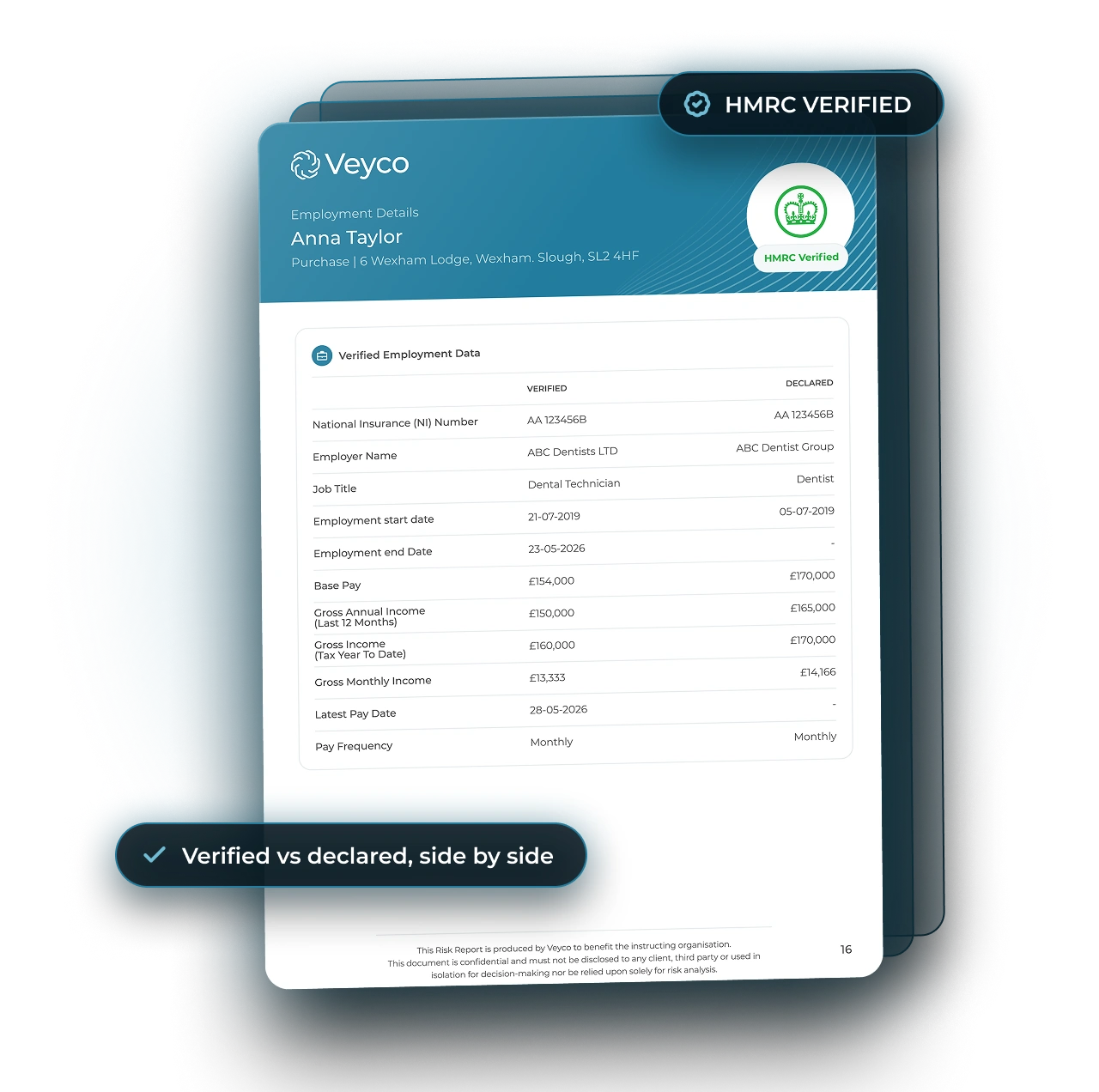
Income Verified by HMRC.
Not Read Off a Payslip.
Payslips can be edited. HMRC records can't. Veyco is integrated with HMRC and can verify exactly what your client earned, at the employer they named, over the period you need.

HOW IT WORKS
Three Steps. Under 5 Minutes.
Employment
Income verified with HMRC or payroll, next to what the client declared.
Source of Wealth
Establish how the client has accumulated their wealth and identify its original source.
Source of Funding
Every pound evidenced and reconciled against the purchase price.
OPEN BANKING
Open Banking.
The Full Financial Picture.
Clients connect their bank in a few taps. You get their full transaction history, analysed, giving your team full visibility of how their funds were accumulated over time.
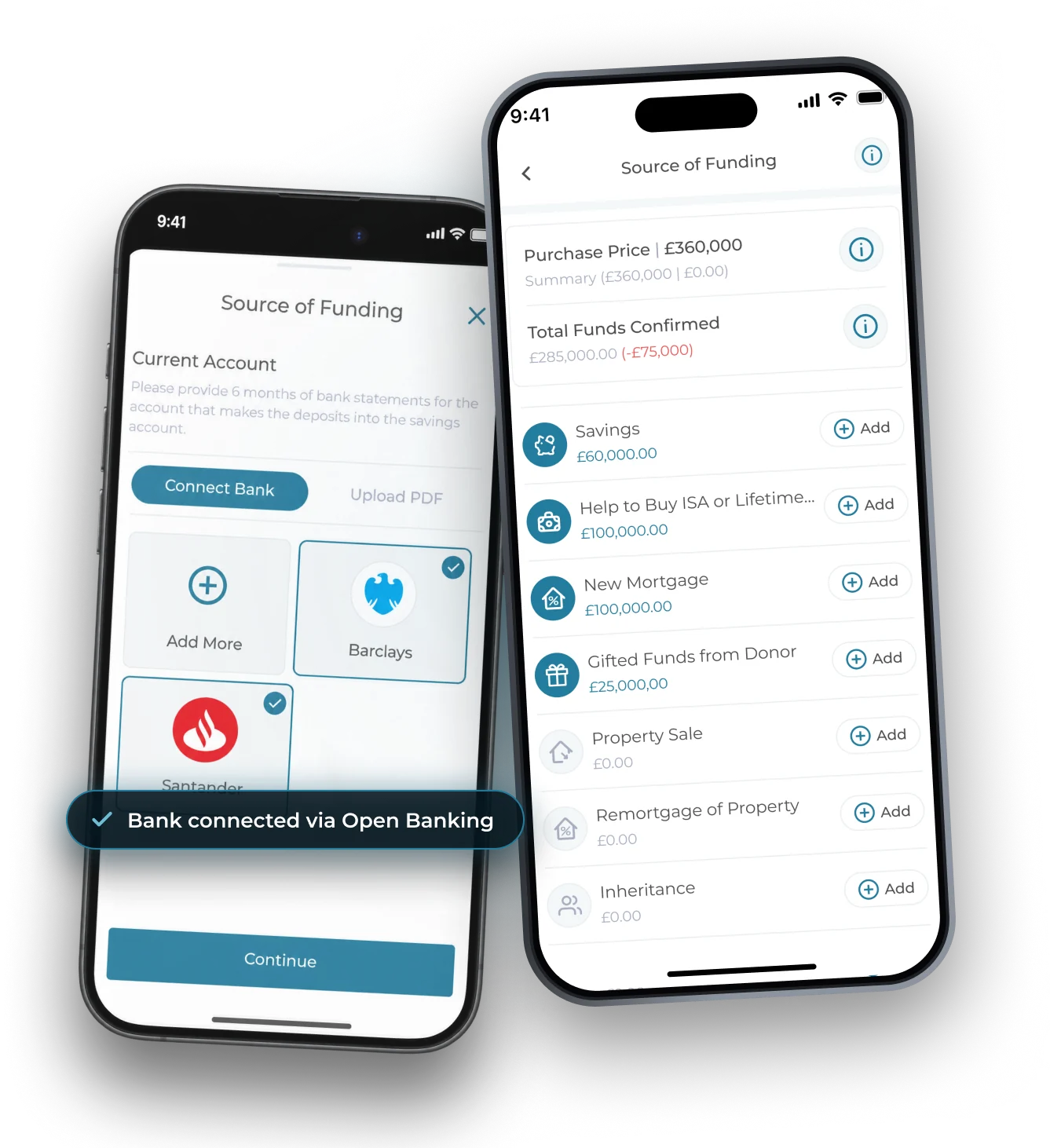
Full Transaction History
Every credit and debit, categorised, to show how funds were accumulated.
Income and Outgoings
Average in, average out and the client's average balance over time, at a glance.
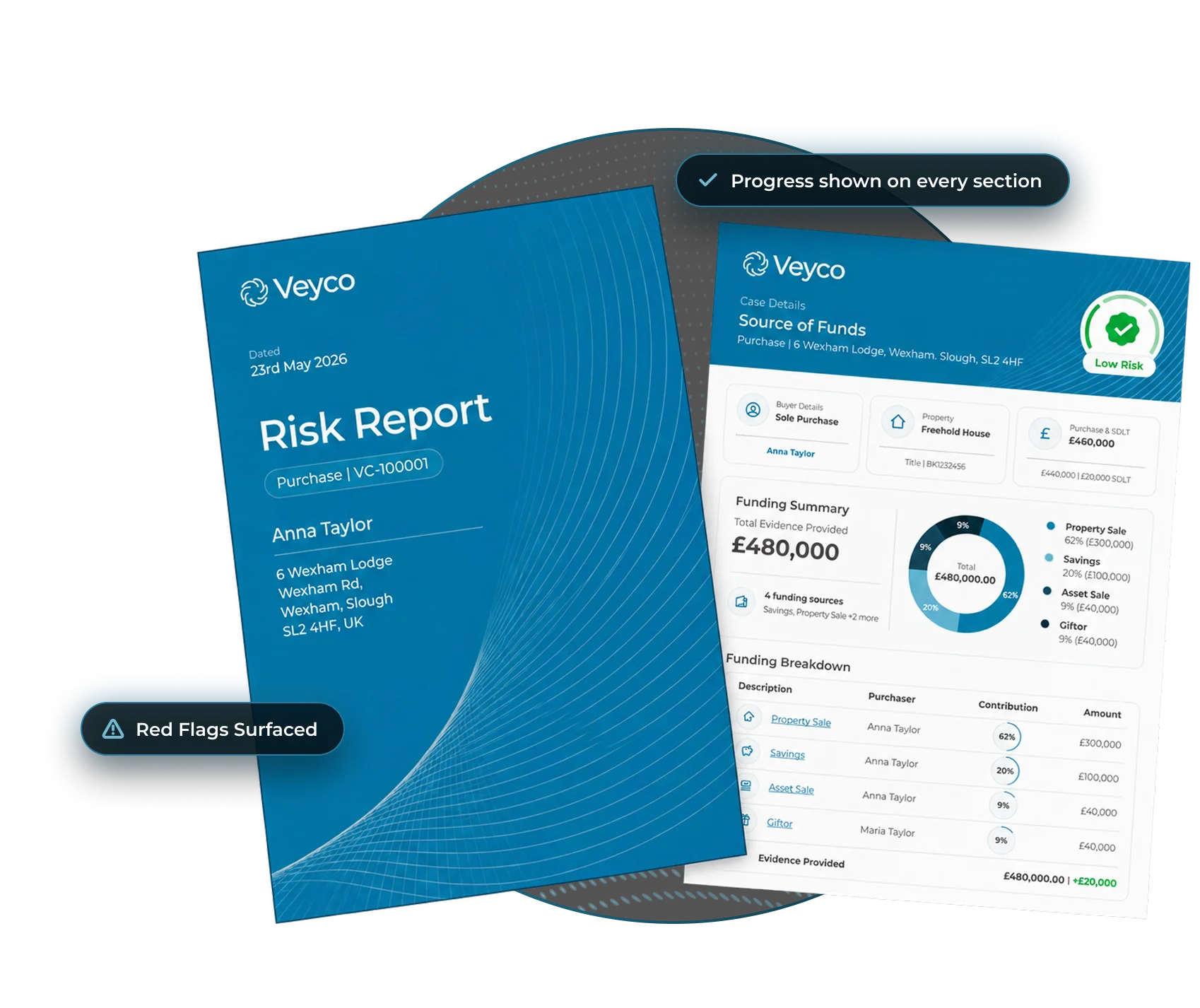
Red Flags Surfaced
Cash deposits and large repeating payments flagged for review.
AI Powered Risk Intel
AI analysis of all client data, creating supplementary follow-up questions.
AI Analysis and Follow-ups
Veyco's AI reads every payment in your client's banking history. Anything unusual is flagged for your team, and your client is asked to explain it in the app. Nothing slips through the cracks.
AI reviews every payment
Incomings and outgoings across the full banking history, read and categorised automatically.
Flagged for your team
Cash deposits, third-party transfers and odd patterns are surfaced, so nothing gets missed on review.
Please provide more information regarding the payment of £25,000 into the account ending 5467 on the 23rd February 2025.
Your client explains
Tailored questions go straight to the client in the app. Their answers sit next to the flag in the Risk Report.
ONE RISK REPORT
Identity.
AML.
Address.
Funding.
One file.
Declared and verified side by side so gaps stand out. Your fee earner sees the full picture in one place.
START TO FINISH
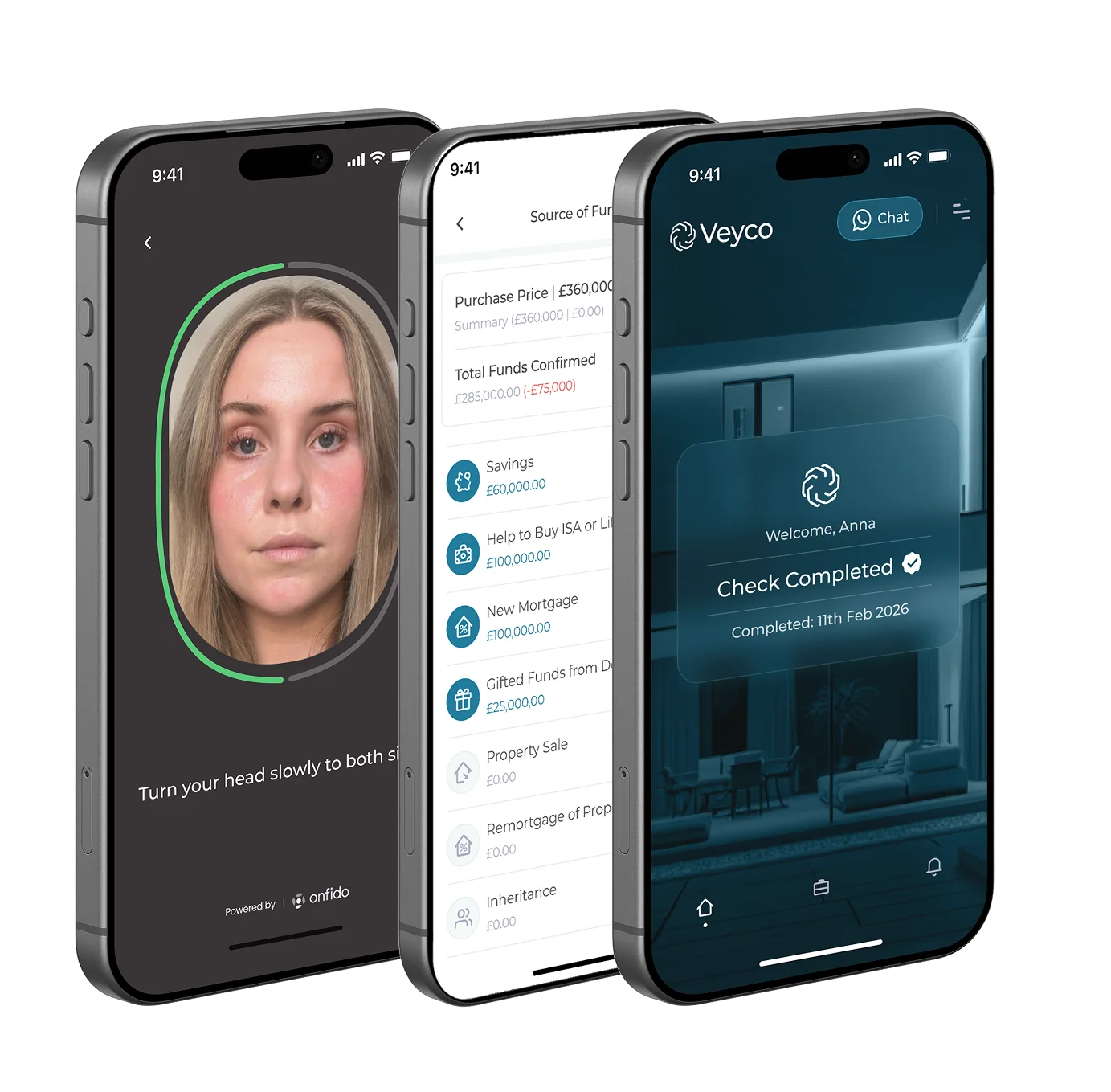
One Sign In. One Journey.
Most firms run onboarding, ID checks, source of funds, SDLT and digital signing through separate tools. Veyco does it all in the same app, one seamless journey and one risk report.
SOURCE OF FUNDS EXPLAINED
Frequently Asked Questions
See Source of Funds
in Action.
Speak to the Veyco team today to see HMRC-verified income, Open Banking and ID checks working together in one app.



our AI Support Agent
Ella can assist you with any support or account based enquiries you may have. Simply dial the number below and start talking, it’s that simple.

Support Agent


Message us on Whatsapp
Have a question or need assistance? Send us a message on WhatsApp and our team will get back to you quickly. We're here to help with any inquiries, support requests, or general questions.
Scan this QR Code
Open Whatsapp
Start the chat